Is This the Steadiest Golf Rangefinder You Can Buy Right Now?
Let’s be honest — most golf rangefinders do the same thing. Point, shoot, get a number. So when a new brand shows up at $299 claiming to offer optical image stabilization, triangulation, AI club recommendations, and tournament-legal slope switching all in one unit, you’re naturally a little skeptical. That’s exactly where I was when the VISTAGET Golvia Ultra first landed in my hands.
But after putting it through its paces — on the course, from the cart path, and in everything from bright sunshine to overcast British-style drizzle — I’ll say this: it’s a genuinely impressive piece of kit. Not perfect, but more capable than most rangefinders in this price range. And the stabilization? Yeah, that part is kind of a big deal.
Specs at a Glance
| Feature | Detail |
|---|---|
| Model | Golvia Ultra |
| Brand | VISTAGET |
| Magnification | 6x |
| Accuracy | ±0.5 yards |
| Max Range | 1,000 yards |
| Light Transmission | ≥80% |
| Eye Relief | 18mm |
| Water Resistance | IP65 |
| Battery | 1,000mAh, USB-C |
| Weight | 1.2 lbs (211g) |
| Dimensions | 2.92″ x 1.69″ x 4.27″ |
| Warranty | 2 Years |
| Included | Rangefinder, USB-C cable, carabiner, soft case, lens cloth, AirTag holder, user manual |
View on Amazon
Build Quality & Design
In-Hand Look and Feel
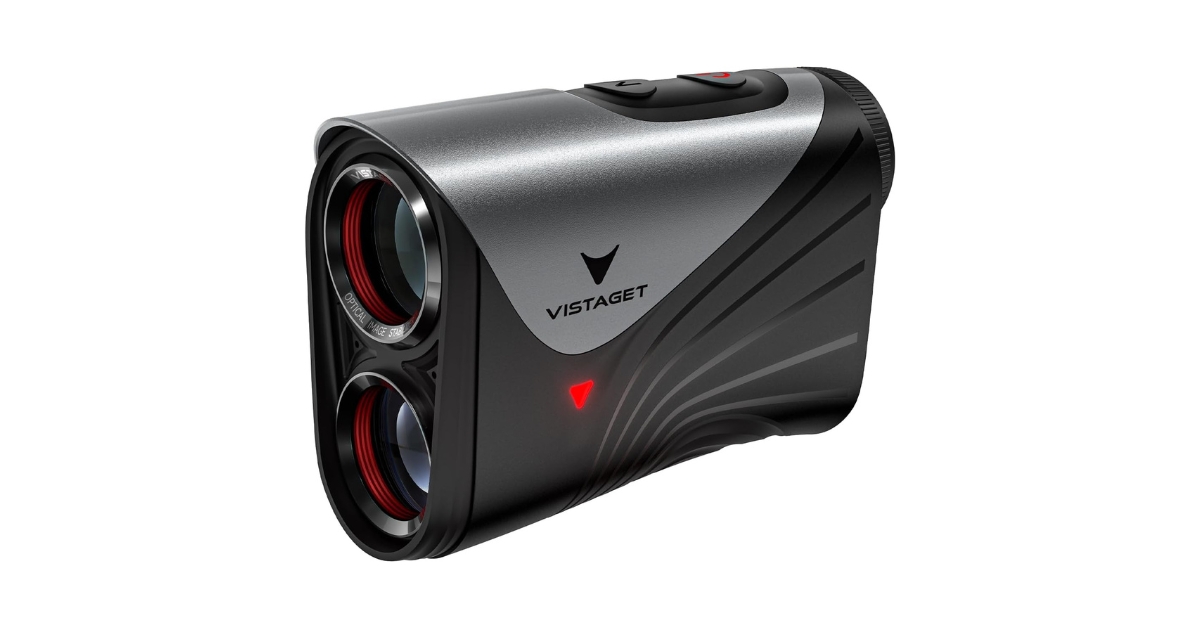
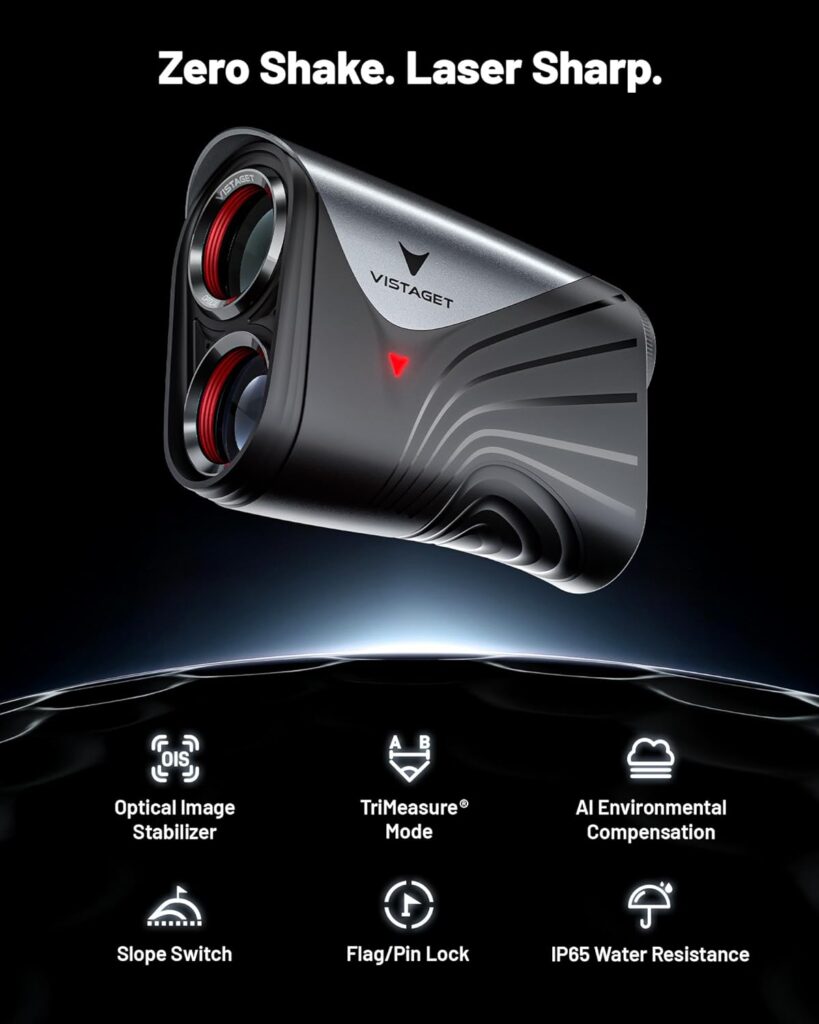
First impressions matter, and the Golvia Ultra does make a solid one. It’s got a clean, all-black profile that looks sharp in the hand — kind of like a high-end monocular rather than a budget golf toy. At 211g, it’s noticeably lighter than older rangefinders from a decade ago (one reviewer compared it to a 314g model from 1999), and that makes a real difference over an 18-hole round.
The housing feels solid without being bulky. It’s palm-sized and ergonomic, which most buyers appreciated. That said, one recurring gripe from critical reviewers is the button layout — two flush buttons sitting very close together can lead to accidental presses, especially when you’re trying to navigate the more advanced modes. It’s not a dealbreaker, but it’s something you’ll notice early on.
What’s in the Box
VISTAGET packs in more than you’d expect. You get the rangefinder itself, a USB-C charging cable (roughly a meter long), a carabiner clip, a soft carrying case with belt loop, a lens cloth, and interestingly — an AirTag silicone holder. That last one is a nice touch if you’re the type to lose gear on the course.
The SteadyTrack OIS — Does It Actually Work?
This is the headline feature, and honestly, it deserves its own section because it really is what separates this rangefinder from the crowd.
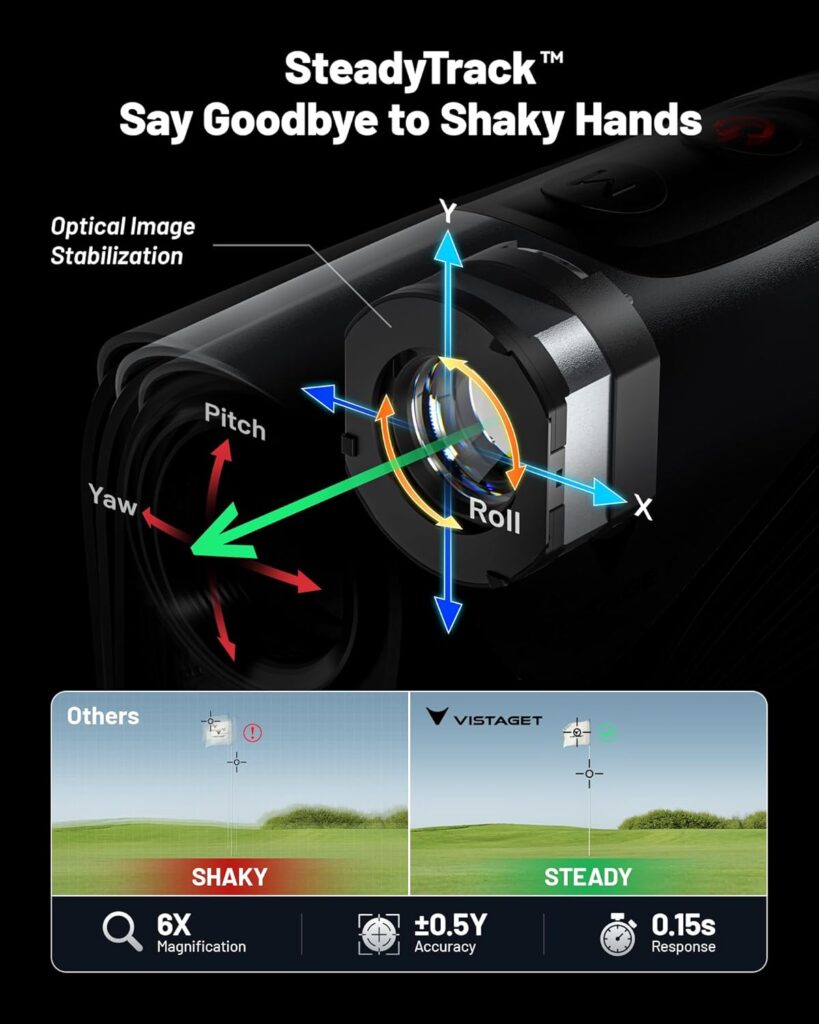
Optical Image Stabilization — or OIS — works by compensating for micro-tremors in real time. Whether it’s your breathing, wind movement, or just the natural slight shake that comes with holding anything steady at arm’s length, the Golvia Ultra smooths it all out. Multiple verified buyers described it as “a game-changer,” with one long-time golfer specifically noting that her shaky hands at long distances no longer made locking onto the pin feel like a struggle.
One UK reviewer tested it with an elderly family member who has significant hand tremors — and even he was able to get consistent, accurate readings. That’s a real-world use case that no spec sheet can fully capture.
Is it GoPro-level stabilization? No, one critical reviewer is right about that. But for a handheld golf rangefinder, it’s genuinely the most effective implementation of this tech I’ve come across at this price point. The image “floats” rather than jumps, and once you’ve used it, going back to an unstabilized unit feels like a downgrade.
Optics & Display Quality
The 6x magnification paired with ≥80% light transmission makes for a genuinely bright, clear view — even on overcast days. One buyer who tested it alongside a friend’s $600 rangefinder was pleased to find the optics held their own at long range. Another described it as feeling like looking through binoculars, which is high praise for a device this size.
The adjustable focus eyepiece is a thoughtful inclusion that not enough rangefinders bother with. And for glasses wearers, the 18mm eye relief means you won’t be squinting to get a full field of view — something that genuinely makes a difference out on the course.
The display itself is a clean black-text format, easy to read in both bright and low-light conditions. One critical reviewer pointed out it lacks a backlit or color display, which is a fair knock at this price. But in practical use, readability hasn’t been an issue.
Accuracy & Ranging Performance
Flag-Lock & Acoustic Confirmation
The Acoustic Flag-Lock gives you both a beep and a vibration the moment you’ve successfully ranged the pin — removing the second-guessing that comes with purely visual confirmation. One enthusiastic buyer standing directly on 150 and 200-yard course markers confirmed the unit read exactly 150 and 200. Another cross-checked readings against a $600 competitor and got identical results.
That said, a couple of reviewers noted the flag-lock can occasionally latch onto trees or bushes in scan mode, rather than the pin. One buyer specifically mentioned this as his primary frustration with the unit. It’s worth knowing, especially if your course has a lot of background clutter behind greens.
Real-World Distance Accuracy
Distances were consistently reliable across reviewers, with one buyer testing it out to nearly 800 yards — well beyond any practical golf scenario, but reassuring for the rangefinder’s overall capability. The ±0.5 yard claimed accuracy appears to hold up in real use, with most minor discrepancies between this unit and competitors being within 1–2 yards at most, which can easily be attributed to aim variation.
Feature Breakdown
TriMeasure Triangulation Mode
This is one of those features that sounds gimmicky until you actually need it. TriMeasure lets you measure distances to multiple points from a single position — front of bunker, the flag, water hazard behind the green — all in one sequence. One buyer described using it brilliantly on a “cart path only” day to calculate distances for playing partners who didn’t have their own rangefinder. The triangulation calculated each partner’s distance to the flag from their ball position, based on measurements taken from the path. That’s genuinely clever course management.
Slope Mode & Tournament-Legal Switch
The slope mode adjusts for elevation changes and gives you a “plays like” distance, which is invaluable for practice rounds on hilly courses. One click disables the slope and all AI-assisted features for full USGA compliance, and a visible red indicator light confirms tournament mode is active so there’s no ambiguity with officials. It’s a well-executed implementation.
Environmental Calibration & Club Recommendations
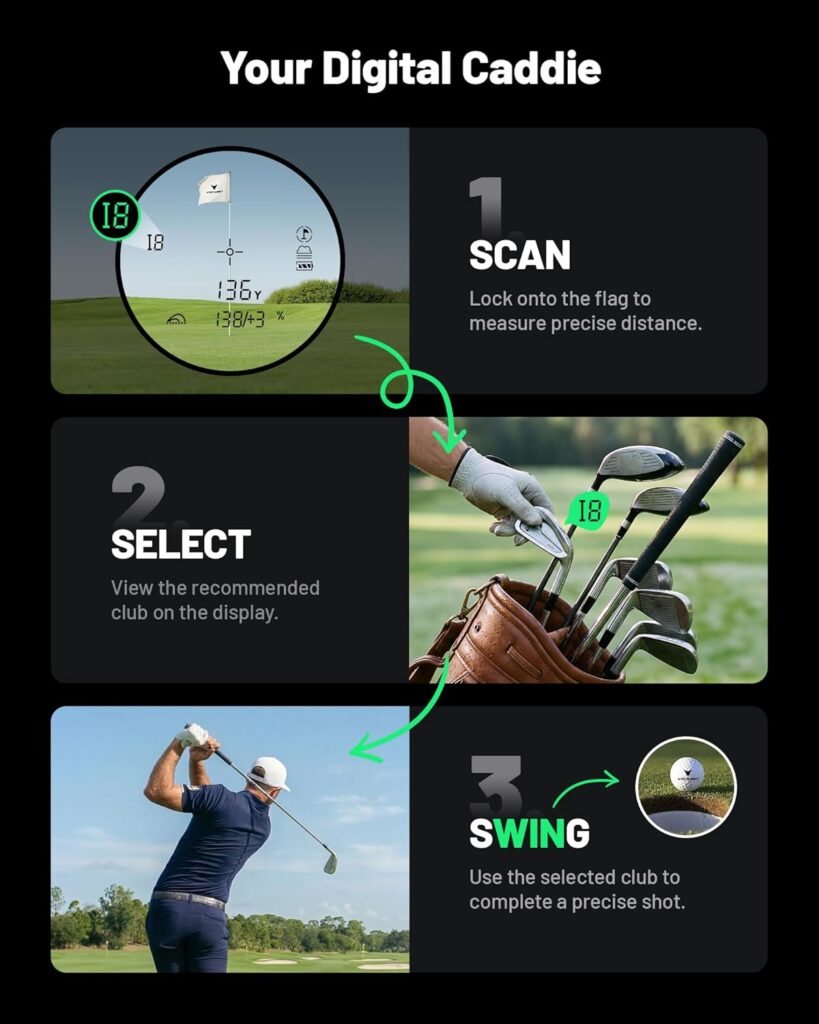
The Golvia Ultra factors in temperature, humidity, and altitude into its yardage calculations — automatically. Whether it has a true onboard barometer and hygrometer or derives these through an AI chip is a point of debate among critical reviewers, and that’s a fair concern. The accuracy of this feature in changing weather did impress some buyers, while others felt skeptical without more transparency from VISTAGET. The club recommendation feature is opt-in and based on your own programmed distances — useful as a training aid, though more casual golfers probably won’t bother setting it up given the two-button input process.
Magnetic Cart Mount & IP65 Rating
The integrated magnet is seriously strong. One buyer laughed that it accidentally latched onto his BBQ grill. On the course, it snaps firmly to cart frames and stays put over bumpy terrain. It’s one of those “small thing that makes daily use much better” features.
IP65 means dust-tight and protected against water jets — so light rain is absolutely fine. Reviewers in the UK specifically praised this for wet weather confidence. A couple of critical notes mentioned the lack of a USB-C port cover as a potential weak point, which is valid. Don’t submerge it.
Battery & USB-C Charging
The 1,000mAh battery is larger than average for this category, and multiple reviewers confirmed it lasted well through multiple full rounds without needing a charge. One buyer used it heavily for over three weeks before needing to plug in. USB-C is a welcome upgrade from proprietary cables.
What Real Buyers Are Saying
Common Praise
Across dozens of verified reviews, a few themes come up again and again. The image stabilization is the most universally praised feature — even buyers who weren’t expecting to love it found it made a real difference. Optics clarity, flag-lock speed, and the magnetic mount also drew consistent compliments. One buyer who’d tested multiple rangefinders across price points called it the clearest and most accurate unit in his collection of five.
Several reviewers — including golfers with shaky hands, older players, and windy-day testers — specifically highlighted OIS as the reason they’d recommend it over everything else at this price point.
Honest Complaints
The two-button interface is the most polarizing aspect of the Golvia Ultra. With so many features packed in, navigating via sequential long and short presses can get confusing, and accidental mode changes are a real frustration for some users. The learning curve is real — reading the manual thoroughly before your first round is genuinely recommended.
A minority of reviewers felt the flag-lock occasionally grabbed background objects, and at least one buyer questioned whether the “AI putting assistant” feature actually exists in the way the listing describes it — finding no mention of green-reading capability in the manual. VISTAGET should probably clarify their feature descriptions to avoid this confusion.
Who Is This Golvia Ultra Rangefinder Best For?
Skill Level Fit
The Golvia Ultra is built for the serious recreational to low-handicap golfer who wants more data from their rangefinder. If you’re a mid-to-high handicapper who plays once a month and just needs a basic yardage number, this is probably more than you need. But for golfers who play regularly, think about course management, and want to dial in their game with better distance data — this is excellent.
Golfers with shaky hands, glasses wearers, and anyone playing frequent “cart path only” rounds will get particular value from the OIS and TriMeasure features.
Who Should Look Elsewhere
Budget-focused golfers can find solid basic rangefinders for under $100. If you’re not going to use the slope, triangulation, or stabilization features, you’d be paying for things you don’t need. Also, if you want the absolute cleanest two-button experience with zero feature complexity, a simpler Bushnell or Precision Pro might suit you better.
How It Compares to the Competition
| Feature | Golvia Ultra | Bushnell Tour V6 | Precision Pro NX10 |
|---|---|---|---|
| OIS / Stabilization | Yes | No | No |
| Slope Mode | Yes (legal switch) | Yes (legal switch) | Yes |
| Triangulation | Yes | No | No |
| USB-C Charging | Yes | No | Yes |
| Magnetic Mount | Yes | No | No |
| IP Rating | IP65 | IPX4 | IPX4 |
| Price (approx.) | ~$300 | ~$350 | ~$200 |
The Golvia Ultra holds up well against more established brands. The stabilization and triangulation are genuinely differentiating features that you won’t find on most comparably-priced competitors. VISTAGET is clearly positioning itself as a tech-forward challenger — and on balance, the hardware justifies the price better than the brand recognition (or lack of it) might suggest.
Price & Value Opinion
At $299.99 (with frequent discounts to around $240), the Golvia Ultra is firmly in the mid-to-premium rangefinder bracket. Is it worth it? Honestly, that depends on how you play. If you’ll actually use the OIS, TriMeasure, and slope features, yes — it’s competitive value against $350+ options from bigger names. If you’re buying it for the AI club suggestions and putting assistant, temper your expectations and do your research first.
The 2-year warranty and USB-C rechargeable battery (vs. AA-dependent competitors) add long-term value that doesn’t show up in the spec table but matters a lot after year one.
Buy on Amazon
Pros & Cons
Pros
- Best-in-class optical image stabilization for the price
- Genuinely useful TriMeasure triangulation mode
- Crystal-clear 6x optics with great low-light performance
- Strong magnetic mount that actually stays put
- USB-C charging and solid battery life
- Tournament-legal slope switch with visual indicator
- IP65 weather resistance
- Eyeglass-friendly 18mm eye relief
Cons
- Two flush buttons lead to occasional accidental presses
- Learning curve is real — read the manual before round one
- Flag-lock can grab background objects in busy scan environments
- Marketing claims around “AI putting assistant” are vague and disputed
- No USB-C port cover for full waterproofing confidence
Golf Assay Score
| Category | Score |
|---|---|
| Optics & Clarity | 9/10 |
| Accuracy | 9/10 |
| Stabilization (OIS) | 9.5/10 |
| Feature Set | 9/10 |
| Ease of Use | 7/10 |
| Build Quality | 8/10 |
| Value for Money | 8/10 |
| Overall | 8.5/10 |
Final Verdict
The VISTAGET Golvia Ultra is a genuinely impressive rangefinder that punches above its weight class in the areas that matter most — optics, stabilization, and practical course features like TriMeasure. It’s not quite as polished as the big-name flagships in terms of build feel and interface simplicity, but it makes up for that with technology you genuinely won’t find bundled together at this price point anywhere else.
If you’re a regular golfer who wants a rangefinder that’ll actually improve your course management — not just give you a number — this is a very strong choice. Just spend 20 minutes with the manual before you tee off.
Buy Now
FAQ
Does the Golvia Ultra work for glasses wearers? Yes. The 18mm eye relief is specifically designed for glasses users and gives a full, unobstructed field of view.
Is the slope mode legal for tournament play? The slope mode can be disabled with one click, and a visible red indicator confirms tournament-legal mode is active — fully USGA compliant.
How long does the battery last? Multiple reviewers reported lasting 3+ weeks of regular play on a single charge. The 1,000mAh battery is larger than average for this category.
Can I use the TriMeasure feature from the cart path? Yes — that’s actually one of its best use cases. You can measure the distance to your ball and then to the flag from the cart path, and the unit calculates the remaining distance automatically.
How does it compare to Bushnell at this price? The Golvia Ultra offers OIS, TriMeasure, and a magnetic mount that most Bushnell models at this price don’t include. Bushnell has stronger brand recognition, but VISTAGET delivers more technology for comparable money.