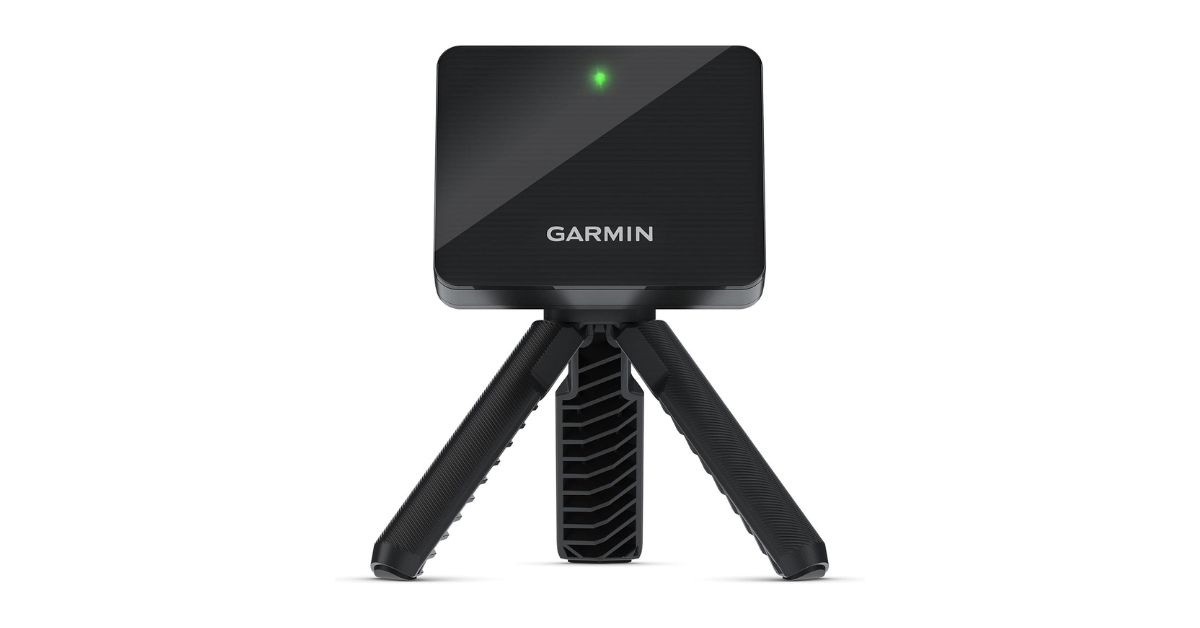
If you’ve been even slightly paying attention to the home golf simulator market over the last few years, you’ve almost certainly heard the name Garmin Approach R10. This little radar-based device basically flipped the affordable launch monitor category upside down when it launched in 2021 — and honestly, it’s still one of the most talked-about units in the under-$500 space today. Whether you’re a weekend warrior trying to shave strokes, a data nerd obsessed with spin rates, or someone who just wants to hit balls in the garage during winter, the R10 keeps coming up as a go-to recommendation. But is it actually worth your money in 2026? Let’s get into it — the good, the frustrating, and everything in between.
Quick Specs at a Glance
| Feature | Details |
|---|---|
| Price | ~$448 (List: $599.99) |
| Dimensions | 3.5″ x 2.8″ x 1″ |
| Weight | 340 grams |
| Battery Life | Up to 10 hours |
| Technology | Doppler Radar |
| Data Metrics | 14 |
| Connectivity | Bluetooth |
| Waterproofing | IPX7 |
| Club Head Speed Accuracy | ±3 mph |
| Ball Speed Accuracy | ±1 mph |
| Launch Angle Accuracy | ±1 degree |
| Warranty | 1-year limited |
What’s Inside the Box
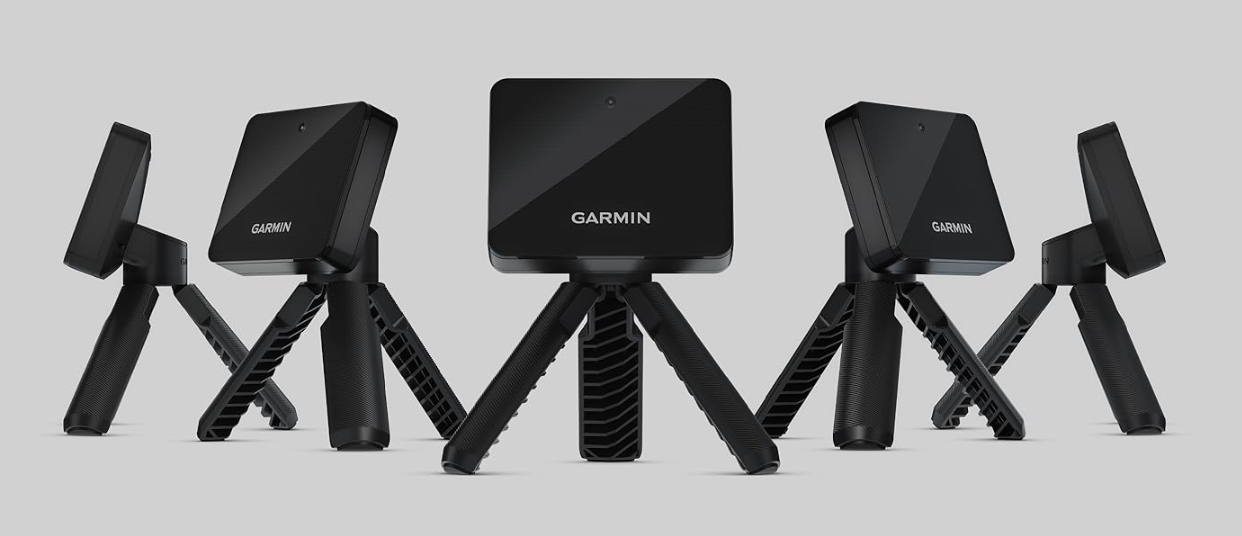
For the price, the packaging is pretty solid. You get the R10 unit itself, a magnetic tripod stand, a phone mount that clips onto your golf bag, a carry case, a microUSB cable, and documentation. The phone mount is a genuinely thoughtful inclusion — a lot of competitors skip this — and it makes it really convenient to keep an eye on your data mid-session without fumbling around. The carry case, though? Honestly, it’s a bit oversized for such a small device. A few buyers have pointed that out too — it’s not a dealbreaker, but it does make the R10 feel slightly less “pocket-friendly” than the actual unit deserves.
Setup & Ease of Use
One thing almost everyone agrees on — setting up the R10 is refreshingly simple. Attach the magnetic tripod arms, place the unit about 6–8 feet behind the ball, align the red indicator line toward your target, pair it with your smartphone via Bluetooth, and you’re basically ready to hit. The magnetic mount gives it a satisfying, premium feel that you don’t really expect at this price point.
That said, alignment is more important than it looks. If the R10 isn’t perfectly facing the ball along your target line, you’ll start seeing some strange direction data. Several experienced users recommend picking up a laser alignment stand separately — it makes a real difference, especially indoors. Once you nail down the setup though, the process becomes second nature pretty quickly.
View on Amazon
Key Features Breakdown
14 Data Metrics via Doppler Radar
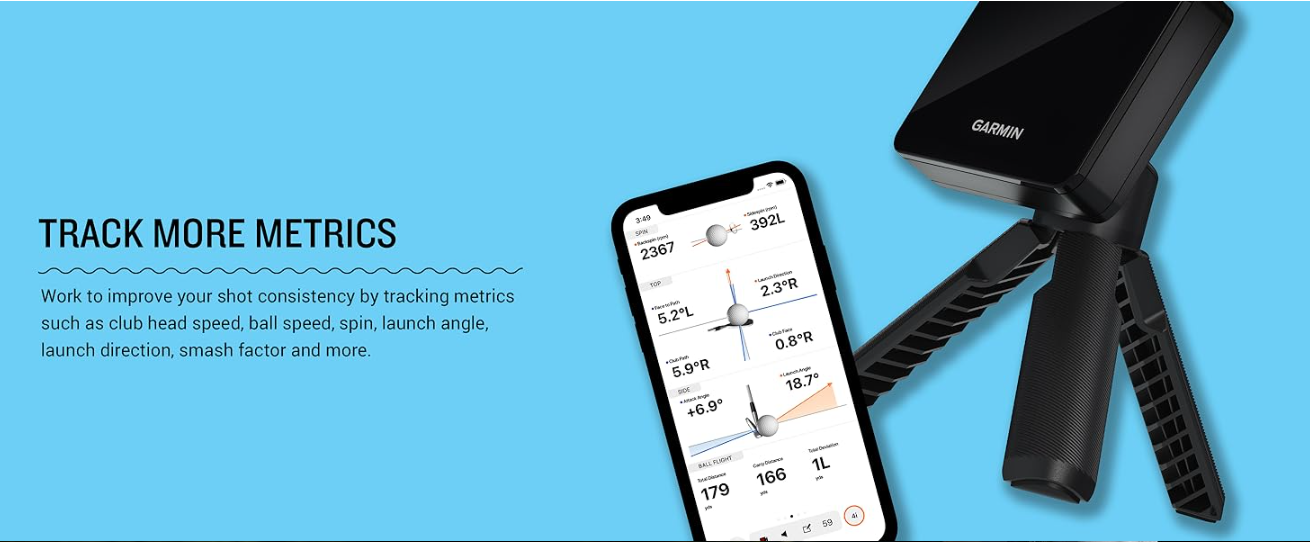
The R10 tracks a surprisingly deep set of data for its price. You’re getting club head speed, ball speed, smash factor, launch angle, launch direction, carry distance, total distance, apex height, ball spin, spin axis, club face angle, face-to-path, attack angle, and swing tempo. That’s a lot of numbers for a device this size. Before the R10 arrived, you’d have had to spend $1,800 or more to get this kind of club path detail in your hands.
Shot Dispersion & Training Mode
Training mode is one of those features you don’t know you needed until you start using it. It tracks stats by individual club and shows a shot dispersion chart so you can visually see exactly how consistent — or inconsistent — your ball striking actually is. It’s a bit humbling, honestly, but incredibly useful for spotting patterns in your misses.
Automatic Swing Video Recording
When paired with a smartphone, the R10 automatically records video clips of each swing and overlays the relevant data right alongside the footage. Seeing your swing and your numbers together is a genuinely powerful combination for self-coaching. One reviewer with 30 years of experience called it a great feature for entry-level stat tracking — and that’s a fair way to put it. Just note that video quality and usability have drawn some criticism; a few buyers found you can’t slow down or download clips easily, which limits how useful it really is for detailed swing analysis.
Virtual Golf — 42,000 Courses & Global Tournaments
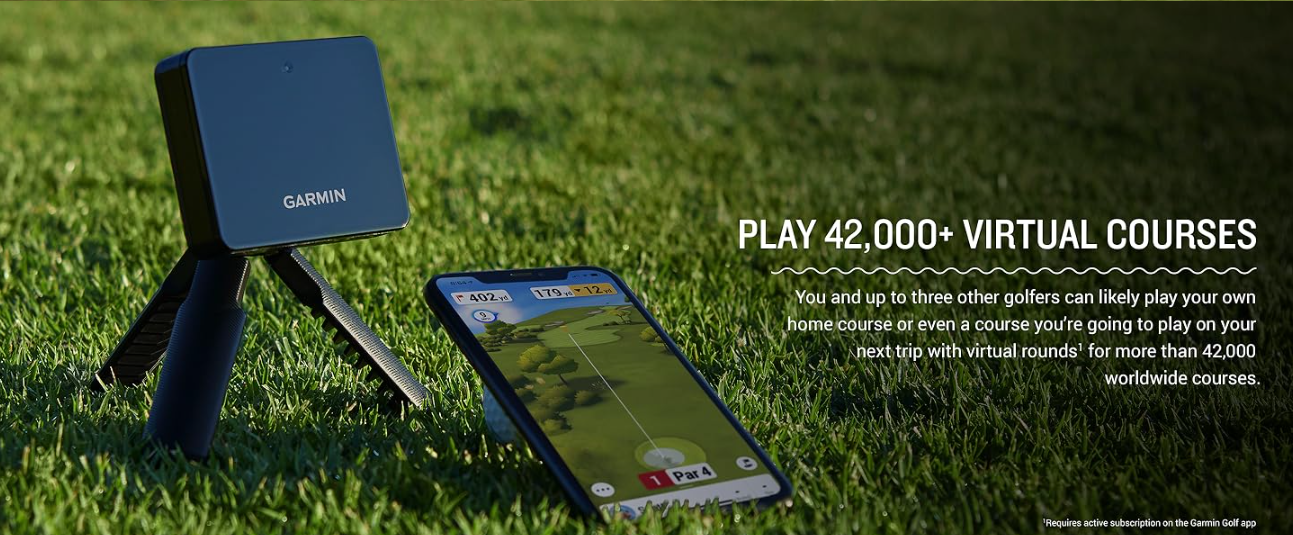
With an active Garmin Golf subscription, you can play virtual rounds on over 42,000 courses worldwide through the Home Tee Hero feature. There’s also a weekly global tournament where scores get posted to a leaderboard. It’s a genuinely fun feature — especially for golfers stuck indoors during winter months. One buyer mentioned playing daily rounds with their wife on the Awesome Golf app and even losing 30 pounds from the daily activity. That’s the kind of real-world story that tells you this thing actually gets used.
Battery Life & Portability
Ten hours of battery life is more than enough for almost any practice session or tournament day. The unit itself is genuinely compact — it fits in your golf bag without issue — and the lightweight 340-gram build makes it easy to toss in the bag and take anywhere.
Accuracy & Performance — The Real Story
This is where things get a little more nuanced, and it’s worth being upfront about it.
Outdoor Range Performance
Outdoors at the driving range, the R10 performs really well. Ball speed readings are widely praised as spot-on, launch angles are close, and directional data is generally reliable. One scratch golfer with decades of experience compared the R10 directly against a $3,000 Bushnell Foresight unit outdoors and found ball speed and launch angles to be very close. For most golfers, that’s more than enough to work with.
Indoor Simulator Performance
Indoors is where the R10’s performance gets a bit more complicated. A meaningful number of buyers report distance readings running 20–40% short when hitting into a net indoors. Concrete floors, fans, heaters, projectors — all of these can apparently cause interference with the Doppler radar. Multiple users tried everything from covering the floor to unplugging appliances, with mixed results.
That said, plenty of others report excellent indoor results once they dialed in their setup. Lighting, space behind the ball, and proper alignment all seem to matter a lot. If your indoor space is clean and well-set up, the R10 can work really nicely. If your garage is cluttered or you’re dealing with reflective surfaces, expect some frustration.
Spin Rate Accuracy (The Weak Spot)
This is the R10’s most consistent limitation. Without Titleist RCT radar golf balls (which have a special reflective inner layer), spin rates are estimated algorithmically — and that estimation can be thousands of RPMs off for drivers. One experienced golfer found backspin readings 500–1,700 RPMs too high on driver shots, which caused carry distances to read noticeably short. If accurate spin data matters to you — for club fitting, for example — you’ll want those RCT balls or a higher-end unit.
Short Game & Chip Shot Limitations
The R10 struggles to pick up chip shots under 10–15 yards and very slow swing speeds under about 30 mph. It’s a known radar limitation, and it matters if you’re playing full simulated rounds indoors. Putting isn’t tracked at all — the simulator assigns strokes based on distance, which works fine for casual play but won’t satisfy anyone trying to practice their short game seriously.
The Garmin Golf App — Love It or Leave It?
The app experience is genuinely divisive. Some users find it clean, functional, and easy to navigate. Others — and this is a common theme in recent reviews — find it increasingly outdated compared to what competitors now offer. One verified buyer was pretty blunt about it, saying the Garmin app gave wildly inaccurate distance readings on a 5-iron, and that switching to the Awesome Golf app brought results within 3 yards of real on-course distances.
The good news is that the R10 plays nicely with third-party software. GSPro, E6 Connect, and Awesome Golf are all popular alternatives, and many users consider these integrations to be where the R10 really shines. If you’re building a home simulator setup, you’re probably not going to rely on the Garmin app exclusively anyway.
What Real Buyers Are Saying
Common Praise
The most recurring themes in positive reviews are portability, ease of setup, value for money, and the fun factor of virtual rounds. Parents buying it to play with kids in winter come up a lot. Golfers using it with GSPro or E6 consistently report great results once dialed in. A long-time user with over 36 months of use compared his R10 data directly against a Trackman at Club Champion and described the numbers as “nearly identical” — a pretty strong endorsement.
Common Complaints
The biggest frustrations are indoor accuracy inconsistency, the Garmin app feeling stale, shot-tracking misses (some buyers report the unit failing to register 15–20% of shots), and spin rate readings being off without RCT balls. A handful of buyers also mention the unit occasionally getting stuck in a loop between “placing ball” and “ready” states, requiring a power cycle to fix.
How It Compares — R10 vs. the Competition
| Feature | Garmin R10 | Rapsodo MLM2PRO | Voice Caddie SC4 Pro |
|---|---|---|---|
| Price | ~$448 | ~$499 | ~$499 |
| Technology | Doppler Radar | Radar + Camera | Radar |
| Metrics | 14 | 16+ | 14 |
| Built-in Display | No | No | Yes |
| Swing Video | Yes (phone) | Yes (built-in) | No |
| Simulator Compatible | Yes | Yes | Yes |
| Subscription Required | Yes (full features) | No | No |
The Rapsodo MLM2PRO has pulled ahead in app experience and adds built-in camera-based swing video. The SC4 Pro eliminates the need for a phone entirely with its built-in screen. But neither has quite the same depth of third-party software integration and community support that the R10 has built up over its years on the market.
Check Here
Who Should Buy the Garmin R10?
The R10 is a great fit if you’re a mid-to-high handicapper looking for real data without spending thousands. It’s ideal for golfers who want to build a budget home simulator with reliable software like GSPro or E6. It works great for range sessions, winter practice, and anyone who just wants to understand their swing better. Beginners will find it fun and educational. Even low-handicappers can get solid use out of it, as long as they understand the spin limitations.
Who Should Look Elsewhere
If you need pinpoint spin accuracy for club fitting, you’ll want to invest more. If you’re planning to use it exclusively indoors in a difficult environment (small garage, concrete floors, lots of electronics), you might hit a wall. And if you’re a very slow swinger — say, under 60 mph club head speed — you may find it less reliable than advertised.
Pros & Cons
Pros
- Genuinely affordable for the feature set
- Easy, fast setup
- 14 data metrics including full club path data
- Great third-party software compatibility (GSPro, E6, Awesome Golf)
- 10-hour battery life
- IPX7 waterproof rating
- Active global community and firmware update history
Cons
- Indoor accuracy can be inconsistent
- Spin rates unreliable without RCT balls
- Garmin Golf app feels dated
- Struggles with chips and very slow swing speeds
- Subscription required for full virtual course access
- Occasional shot-tracking misses
GolfAssay Score
| Category | Score |
|---|---|
| Accuracy (Outdoor) | 8.5 / 10 |
| Accuracy (Indoor) | 6.5 / 10 |
| Ease of Use | 9.0 / 10 |
| Feature Set | 8.5 / 10 |
| App Experience | 6.5 / 10 |
| Portability | 9.0 / 10 |
| Value for Money | 8.5 / 10 |
| Overall | 8.1 / 10 |
Final Verdict
The Garmin Approach R10 is, in a word, impressive for what it costs. It’s not perfect — the indoor accuracy can be temperamental, the spin data needs RCT balls to really shine, and the Garmin app has honestly been lapped by competitors at this point. But when you step back and look at what this device actually delivers for under $500, it’s hard not to respect it. Fourteen data metrics, simulator compatibility, swing video, 42,000 virtual courses, and a community of users that’s been stress-testing it for years — that’s a serious package.
If you go in with realistic expectations, take the time to set it up properly, and pair it with a solid third-party app, the R10 will genuinely help your game. It’s not a Trackman. But for most golfers, it doesn’t need to be.
Buy on Amazon
FAQ
Do I need a subscription to use the Garmin R10? You can use basic features including the driving range and metric tracking without a paid subscription. However, virtual course play and tournament features require an active Garmin Golf subscription.
Does the Garmin R10 work indoors? Yes, but results vary depending on your setup. Open space, minimal interference, proper alignment, and good lighting all help. Hitting into an outdoor net can also cause issues due to radar interference.
What golf balls work best with the R10? For the most accurate spin data, Titleist RCT balls are widely recommended. They contain a radar-reflective layer that the R10’s Doppler radar can read more precisely. Standard balls will still work, but spin readings may be off — especially on driver shots.
Can I use the R10 with GSPro or E6? Absolutely — and many users actually prefer these platforms over the native Garmin Golf app. GSPro and E6 are both widely compatible and generally deliver a more polished simulator experience.
How accurate is the Garmin R10 compared to Trackman? For ball speed and launch angle, it’s surprisingly close. Spin rates and carry distances — particularly with drivers indoors — can diverge more noticeably. One long-term user with Trackman comparison data described the numbers as nearly identical for most metrics when set up correctly outdoors.