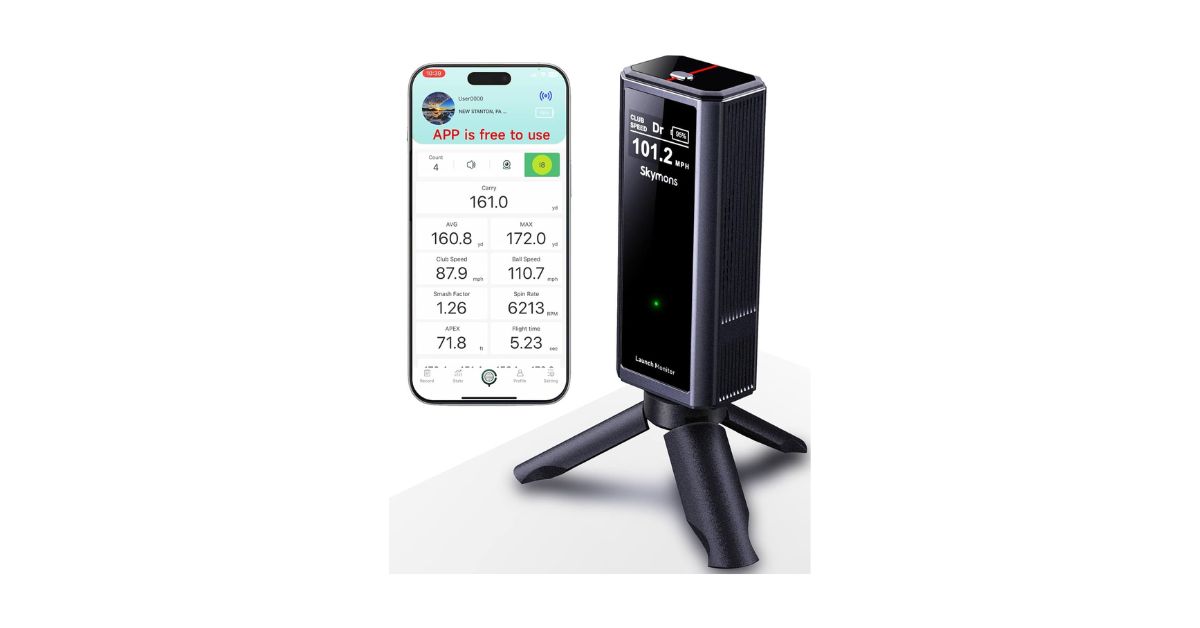
The idea of owning a golf launch monitor used to feel unrealistic for most everyday golfers. Not long ago, if you wanted ball speed, carry distance, or spin data, you had to book time at a fitting studio or shell out serious money. That’s changed fast. Products like the Skymons Golf Launch Monitor (PRO X1 Lite) are clearly aimed at golfers who want meaningful feedback without turning their garage into a tech lab.
This review is written with that golfer in mind. Not a tour pro. Not a simulator junkie. Just someone who practices, cares about numbers, and wants to get better. I’ll break down what this launch monitor does well, where it falls short, and who it realistically makes sense for.
What the Skymons Golf Launch Monitor Is Designed to Do
The Skymons Golf Launch Monitor is a portable Doppler-based device built primarily for swing analysis and distance tracking. It’s not trying to replace a $5,000 simulator, and honestly, that’s a good thing. Instead, it focuses on the core metrics most golfers actually need to see improvement.
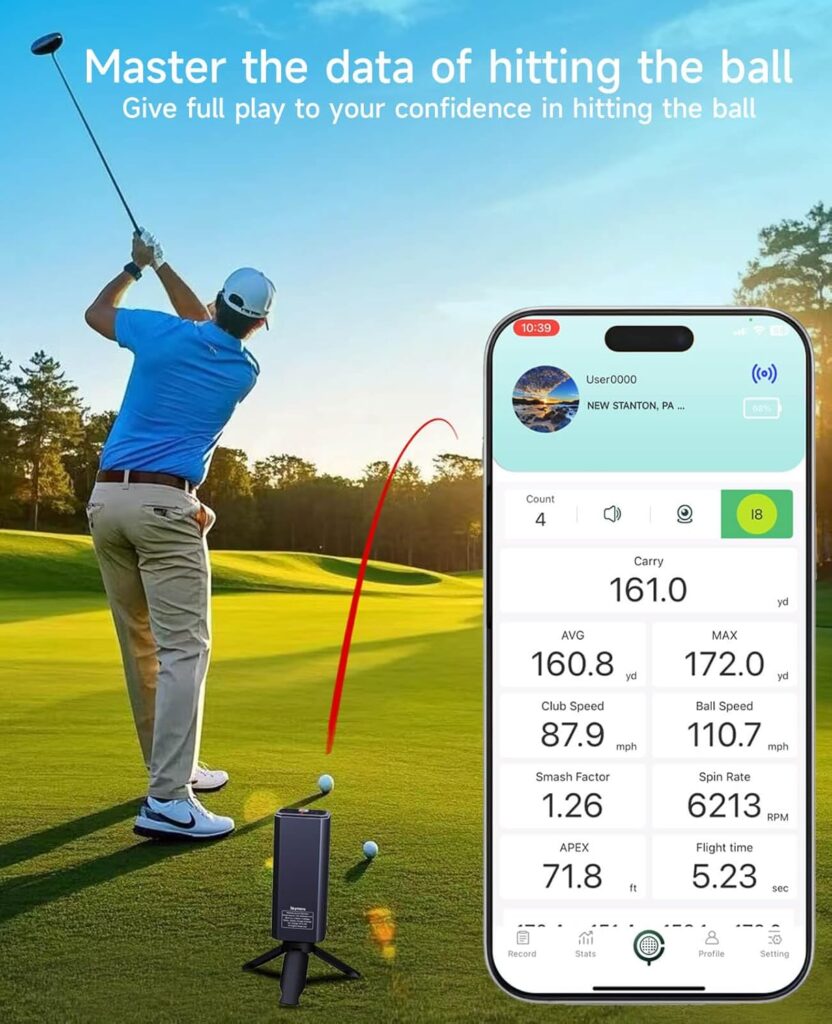
You get data like club speed, ball speed, carry distance, total distance, smash factor, spin rate, apex height, and ball flight. For the average golfer, that’s already more than enough information to identify distance gaps, spot inefficient strikes, and track swing changes over time.
The key word here is practical. Skymons doesn’t overload you with obscure metrics that sound cool but don’t really help your game.
First Impressions: Build Quality and Portability
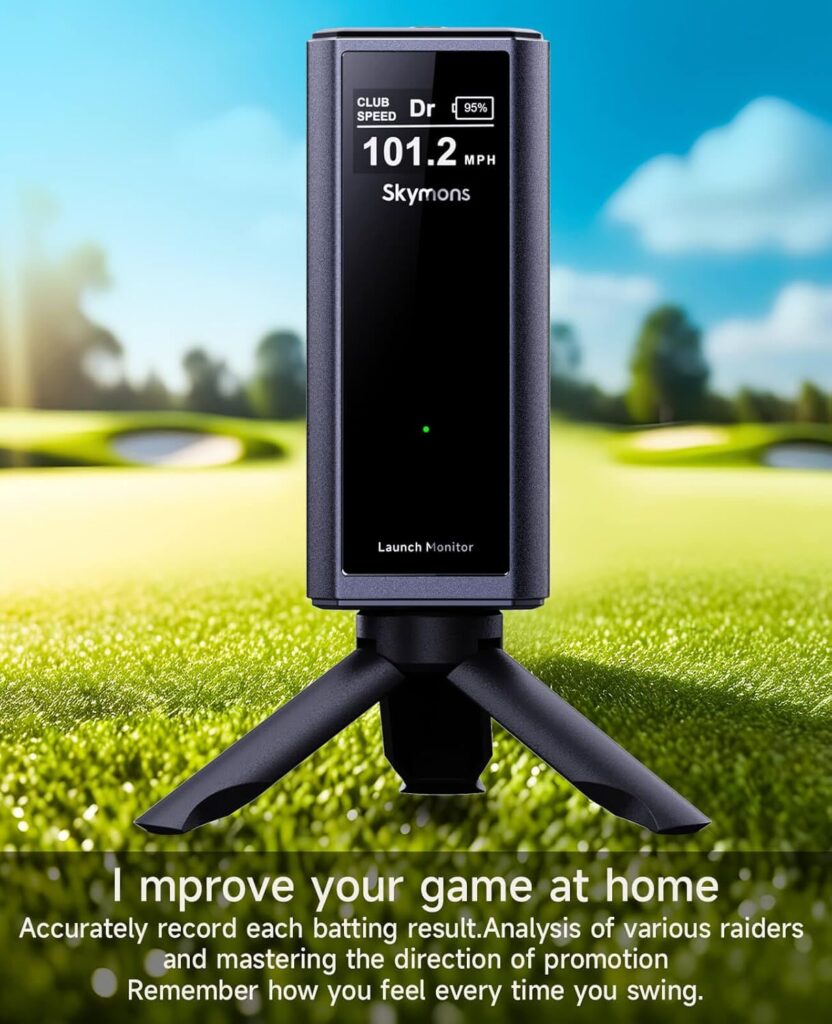
Out of the box, the PRO X1 Lite feels solid but lightweight. It’s compact enough to toss into a golf bag pocket or backpack without thinking twice. The metal construction gives it a bit more durability than you might expect at this price, which is reassuring if you’re carrying it to the range regularly.
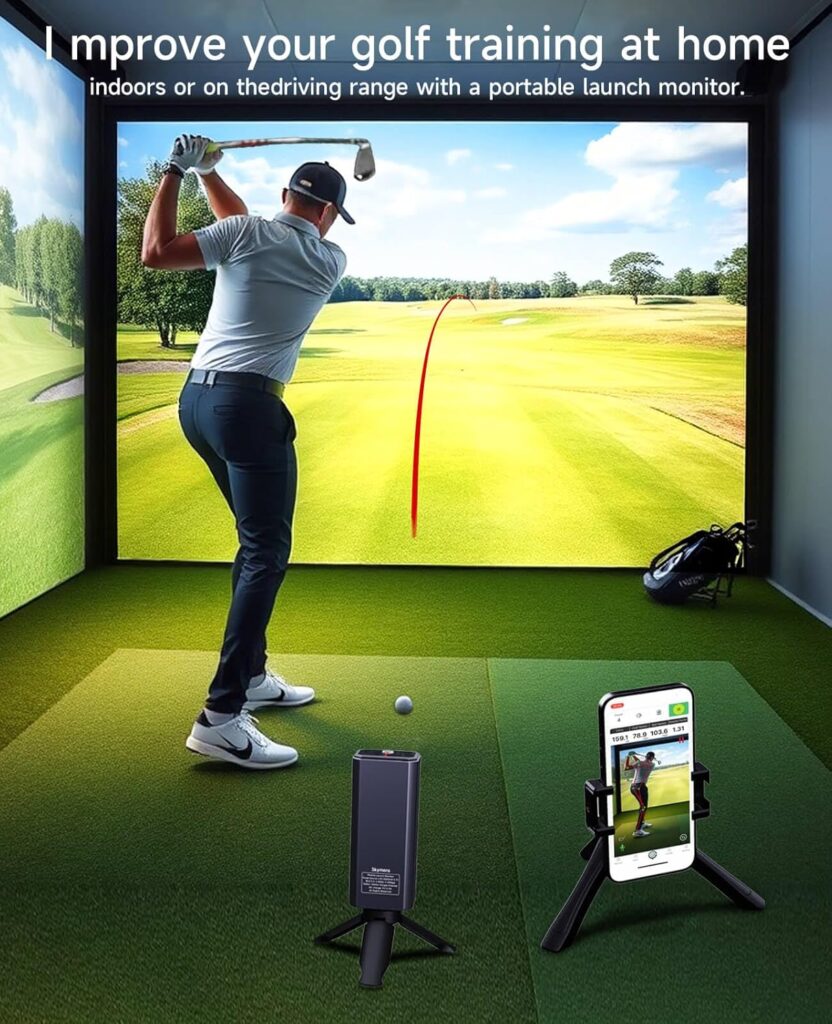
Portability is one of the biggest strengths of the Skymons Golf Launch Monitor. You’re not committing to a permanent setup. You can use it at home with a net, bring it to the range, or move it between locations easily. That flexibility alone makes it appealing for golfers who practice in different environments.
Setup Experience: Simple, Fast, and Mostly Friction-Free
Setup is straightforward. You place the unit behind the ball, power it on, and connect it to the companion app. In most cases, you’re ready to hit within a minute or two. There’s no complicated calibration process, which keeps things stress-free.
This simplicity matters more than people realize. If a launch monitor feels like a chore to set up, you’ll stop using it. The Skymons Golf Launch Monitor avoids that problem pretty well.
One thing to note, though, is placement sensitivity. Like most Doppler radar devices, it needs to be positioned correctly to give consistent readings. Once you get used to the spacing and alignment, it becomes second nature, but there is a small learning curve.
Battery Life: A Quiet but Important Win
Battery life is one of those things you don’t appreciate until it’s bad. Thankfully, that’s not the case here. The Skymons Golf Launch Monitor is rated for up to 10 hours of use, and in real-world testing, that claim feels pretty accurate.
A full range session barely dents the battery, and even longer practice days don’t require mid-session charging. For golfers who hate managing cables and power banks, this is a genuinely underrated advantage.
Performance Breakdown: How Trustworthy Is the Data?
Club Speed and Ball Speed
Club speed and ball speed are where this device feels most confident. The numbers are consistent and logical, especially when you compare them to known distances or range markers. Are they lab-grade perfect? No. But they’re close enough to guide real improvement.
For golfers working on tempo or efficiency, these two metrics alone provide a lot of value.
Carry Distance vs Total Distance
Carry distance readings are generally more reliable than total distance. That’s expected, since roll depends on assumptions about turf and conditions. For club gapping and distance control, carry numbers are what matter most anyway, so this isn’t really a downside.
The Skymons Golf Launch Monitor does a solid job here, especially outdoors.
Spin Rate and Apex Height
Spin rate is where things get a bit mixed. You’ll see useful trends, like whether you’re adding or losing spin, but the exact RPM numbers shouldn’t be treated as absolute truth. This is common for Doppler-based monitors in this price range.
Apex height, on the other hand, feels more reliable. You can clearly see differences between clubs and swing changes, which helps with trajectory control and shot planning.
Consistency and Misreads
Good strikes produce good data. Mishits can occasionally confuse the device, leading to odd numbers. That can be frustrating, but it’s also a reminder that this is a training tool, not a tour-level fitting system.
View on Amazon
Doppler Radar Technology: What It Does Well (and What It Doesn’t)
The Skymons Golf Launch Monitor uses Doppler radar to track movement. This technology excels at speed and distance tracking, especially outdoors where the ball flight is unobstructed.
Where it struggles is indoor spin accuracy and very short ball flights. Camera-based systems handle those situations better, but they also cost significantly more. Understanding this trade-off is important for managing expectations.
Used in the right environment, Doppler radar works surprisingly well.
App Experience: Functional, Useful, but Not Perfect
The companion app is free, which already puts Skymons ahead of many competitors. No subscriptions, no locked features. That alone makes the value proposition stronger.
The app supports iOS, Android, and HarmonyOS, and includes multiple practice modes like distance tests, swing speed tests, efficiency ratings, and backspin analysis. These modes are genuinely helpful for structured practice.
That said, the app still feels a bit unfinished in places. Navigation isn’t always intuitive, and session saving could be smoother. It works, but it doesn’t feel premium. Updates will hopefully improve this over time.
Screen Casting and Simulator Expectations
You can mirror the app to a TV or projector if you have compatible hardware. This is nice for reviewing swings or sharing sessions, but it’s important to be clear: this is not a full golf simulator.
There are no virtual courses, no immersive visuals, and no simulated rounds. The Skymons Golf Launch Monitor is best used as a data companion, not an entertainment system.
Indoor vs Outdoor Use: Where It Performs Best
Outdoors is where this device really shines. Full ball flight allows the Doppler radar to track shots more accurately, leading to better distance and trajectory readings.
Indoors, it’s still usable, especially with a net, but expectations should be adjusted. Shorter ball flight means more estimation, particularly for spin. If your primary use is indoor training, this is something to keep in mind.
What Real Golfers Are Saying
Looking at verified customer feedback, a few themes stand out. Many golfers describe the Skymons Golf Launch Monitor as surprisingly accurate for the price. Setup speed, portability, and battery life are frequently praised.
On the flip side, some users mention inconsistent readings and frustrations with the app. A few also point out that the device makes audible sounds that can be annoying at public ranges, since there’s no mute option.
Overall sentiment lands right in the middle: satisfied users who understand the limitations tend to enjoy it, while those expecting perfection are more critical.
Skill Level and Swing Speed Suitability
This launch monitor is best suited for beginners to mid-handicap golfers. Players in this range benefit the most from understanding carry distances, club speed, and basic efficiency.
Very fast swingers or low-handicap players may notice limitations, particularly with spin accuracy and shot shaping. It can still be useful, but it won’t replace professional-grade tools.
Comparison With Alternatives
Compared to other entry-level launch monitors, the Skymons Golf Launch Monitor stands out for its battery life and lack of subscription fees. You trade off simulator visuals and ultra-polished software, but you keep your costs down.
If your goal is practice and improvement rather than simulated rounds, it compares favorably within its price category.
Price, Value, and Long-Term Outlook
Value is arguably the strongest argument in favor of this device. For the price, you’re getting meaningful data, solid hardware, and a usable app without ongoing costs.
Durability feels reasonable, and the included accessories cover the basics. Long-term satisfaction will depend heavily on software updates, but the foundation is there.
Check Price
Pros and Cons
Pros
-
Useful swing and ball data
-
Long battery life
-
Portable and easy to set up
-
No subscription fees
Cons
-
App could be more polished
-
Spin accuracy has limits
-
Not ideal for public ranges
-
Not a full simulator
Who Should Buy the Skymons Golf Launch Monitor
You should seriously consider this device if you:
-
Want affordable, portable swing data
-
Practice regularly at home or the range
-
Care more about improvement than graphics
You might want to skip it if you:
-
Expect tour-level precision
-
Want immersive simulator golf
-
Are extremely data-sensitive
Golf Assay Performance Score
-
Accuracy: 7.5/10
-
Ease of Use: 8/10
-
App Experience: 6.5/10
-
Value for Money: 8.5/10
-
Overall Score: 7.6/10
Final Verdict: Honest and Practical
The Skymons Golf Launch Monitor isn’t flawless, and that’s okay. It delivers useful, actionable feedback at a price most golfers can justify. If you understand what it’s built for—and what it’s not—it can be a genuinely helpful part of your practice routine.
For golfers who want to train smarter without overspending, it’s a solid, sensible option worth considering.