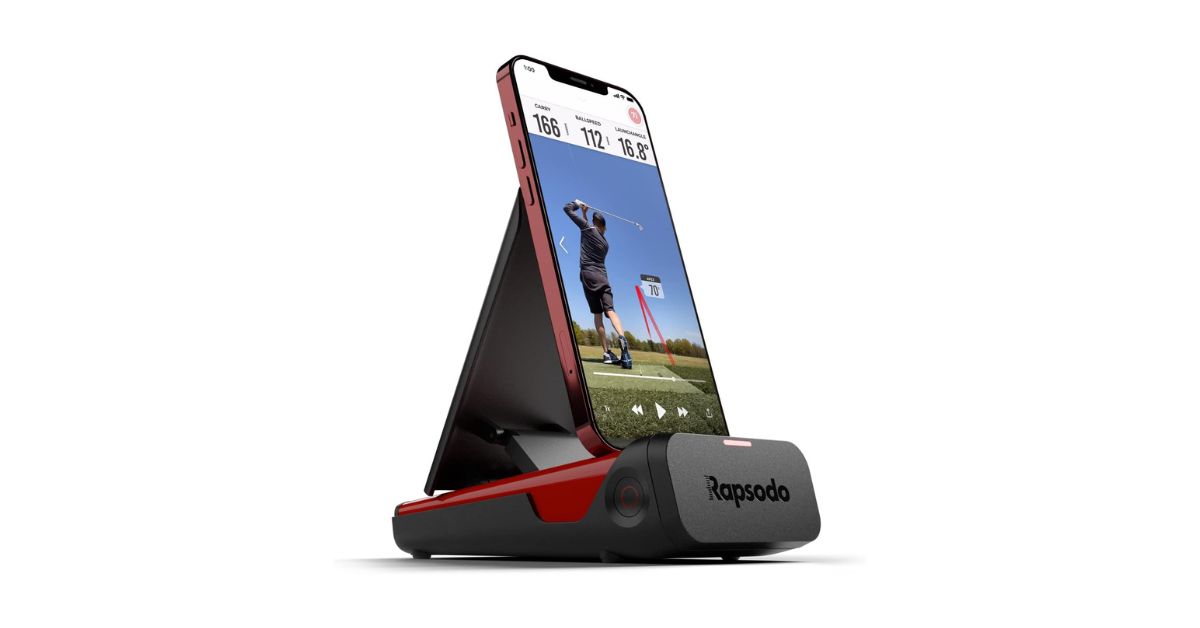
The Rapsodo Mobile Launch Monitor sits in an interesting place in the golf tech world. It’s not a $10,000 simulator unit, and it’s not just a simple swing app either. Instead, it’s a portable launch monitor that uses your iPhone or iPad to deliver shot data, video replay, and distance tracking at a price most everyday golfers can actually consider.
For range regulars, home-net hitters, or just golfers who like seeing real numbers instead of guessing, this device promises a tour-style data experience in a compact, affordable package. But does it actually deliver that in real use? Let’s break it down.
What Makes It Different From Other Budget Launch Monitors
Unlike many entry-level launch monitors that just spit out numbers on a small screen, the Rapsodo Mobile Launch Monitor combines radar tracking with your phone’s camera. That creates a more interactive experience.
Key differences include:
-
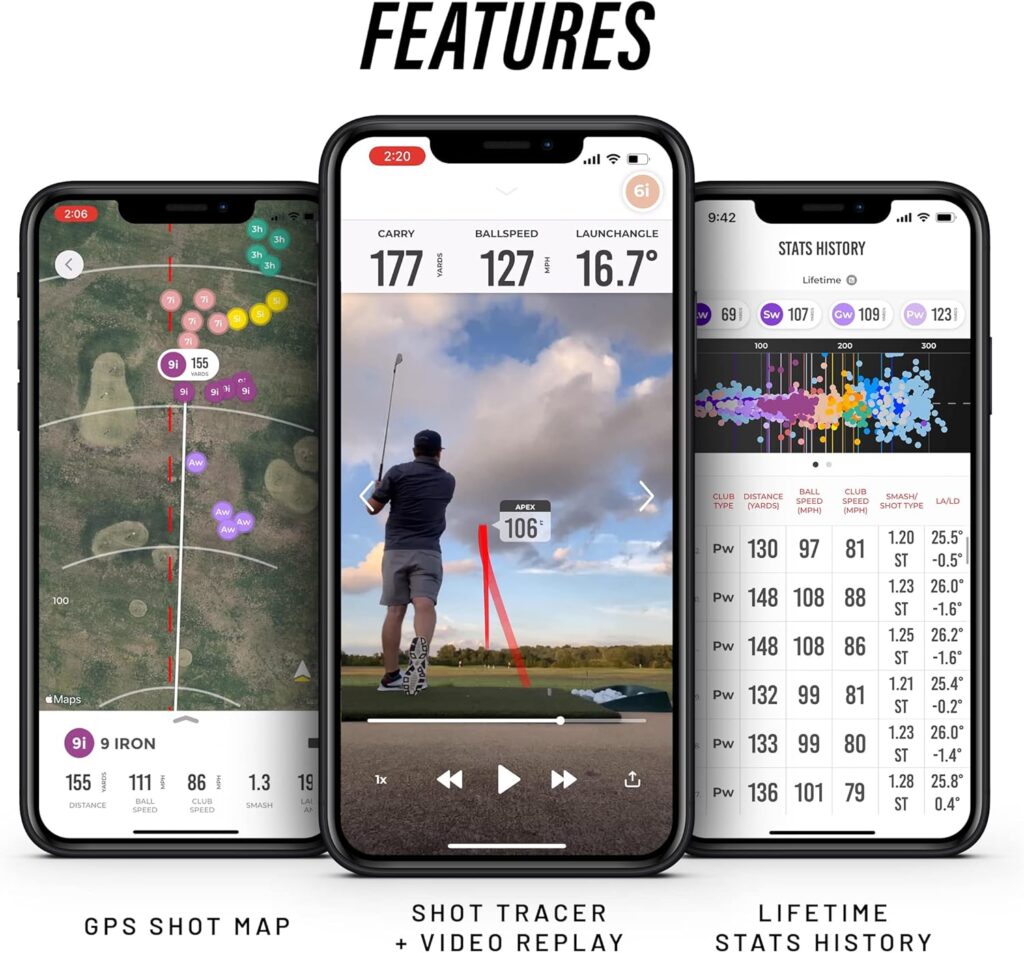
Video replay of every swing with a shot tracer
-
GPS mapping of where your shots land
-
Automatic club recognition using the camera
-
Data tracking over time for each club
It’s kind of like turning your phone into a mini golf simulator companion. Not perfect, but surprisingly capable for the price.
Key Features at a Glance
-
Tracks carry distance, ball speed, club speed, launch angle
-
Video playback with shot tracer
-
GPS shot mapping
-
Indoor and outdoor practice modes
-
Bluetooth connection to iPhone or iPad
-
Portable, lightweight design
-
Up to 4 hours of battery life
View on Amazon
Technical Specifications
| Feature | Details |
|---|---|
| Model | Rapsodo MLM |
| Weight | 0.4 kg |
| Dimensions | 6.85 × 7.72 × 2.28 inches |
| Battery Life | Up to 4 hours |
| Charging | USB-C |
| Compatibility | iPhone & iPad only |
| Warranty | 1-year limited |
| Included | Carry case, charging cable, quick start guide |
Setup, Portability, and Ease of Use
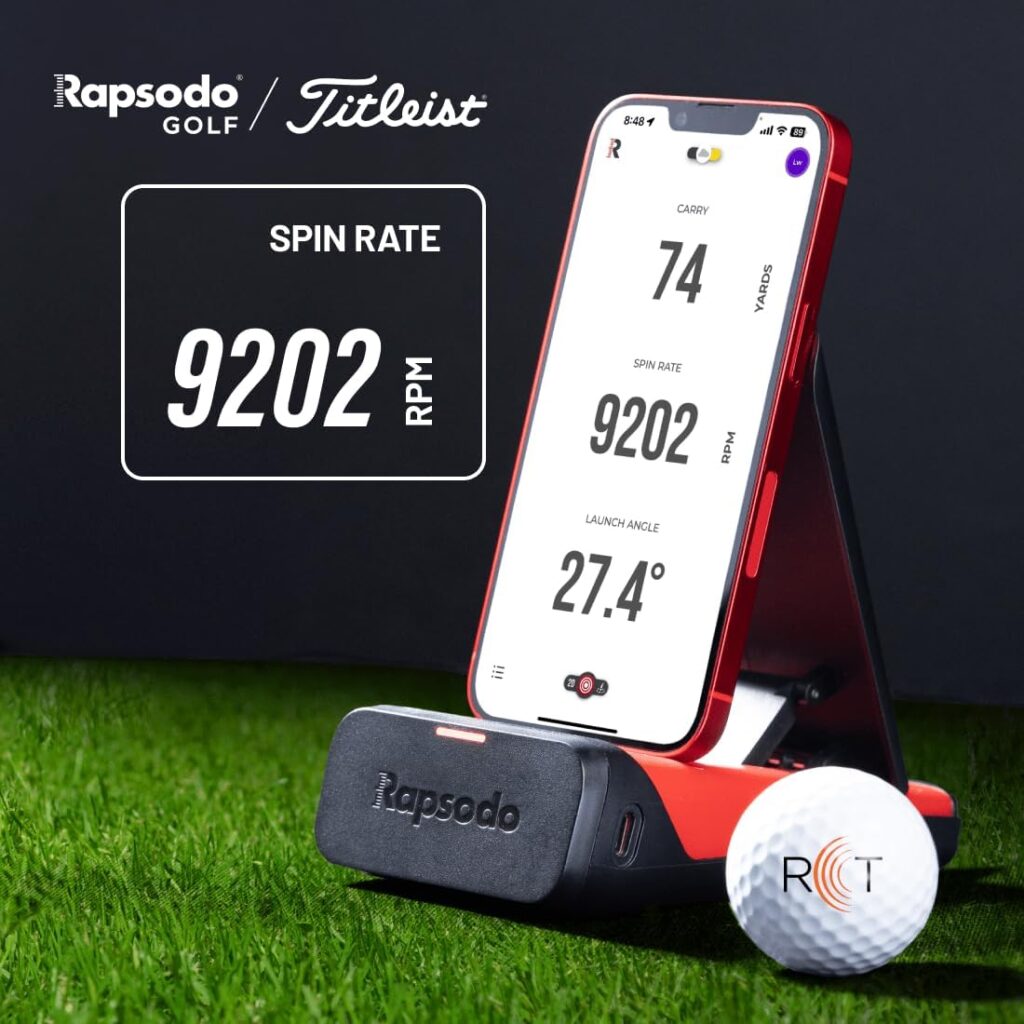
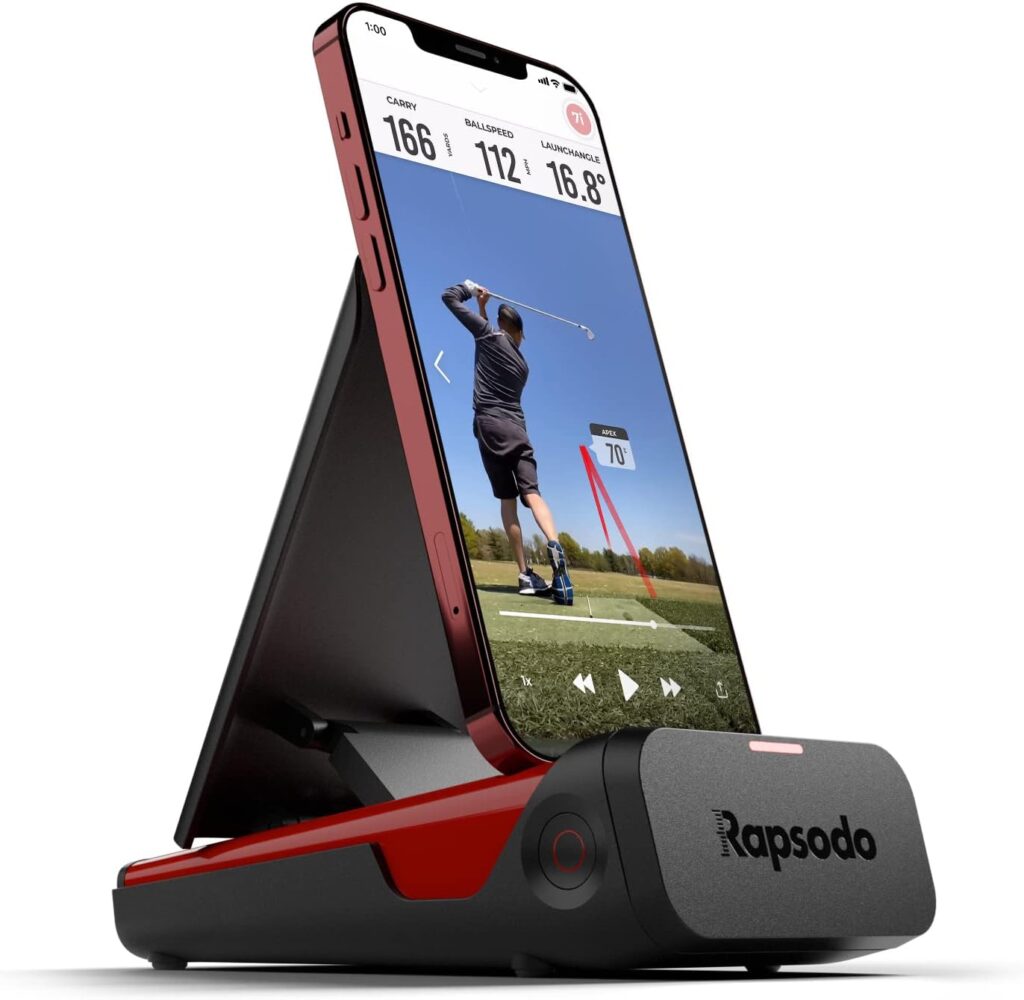
One of the biggest advantages of the Rapsodo Mobile Launch Monitor is its simple, portable setup. The unit sits roughly 6–8 feet behind the ball, and your phone rests in the built-in holder.
Most users say:
-
Setup takes only a few minutes
-
Pairing is straightforward
-
The app is fairly intuitive
That said, placement matters. Several golfers noted that the unit needs to be aligned carefully or it might miss shots. It’s not difficult, but it’s not totally foolproof either.
Also worth noting: this model only works with iOS devices, which is a deal-breaker for some Android users.
Data Tracking and Accuracy
The MLM tracks the core metrics most golfers care about:
-
Carry distance
-
Total distance
-
Ball speed
-
Club head speed
-
Launch angle
-
Smash factor
-
Shot direction
For a device in this price range, the accuracy is generally considered solid. Many users say distances are within a few yards of marked range targets or higher-end launch monitors.
Still, feedback isn’t perfectly consistent. Some golfers reported:
-
Occasional missed shots
-
Distance readings slightly off
-
Better accuracy with short and mid-irons than drivers
So, it’s not tour-level precision, but it’s good enough for practice and distance gapping.
App Experience and Video Feedback
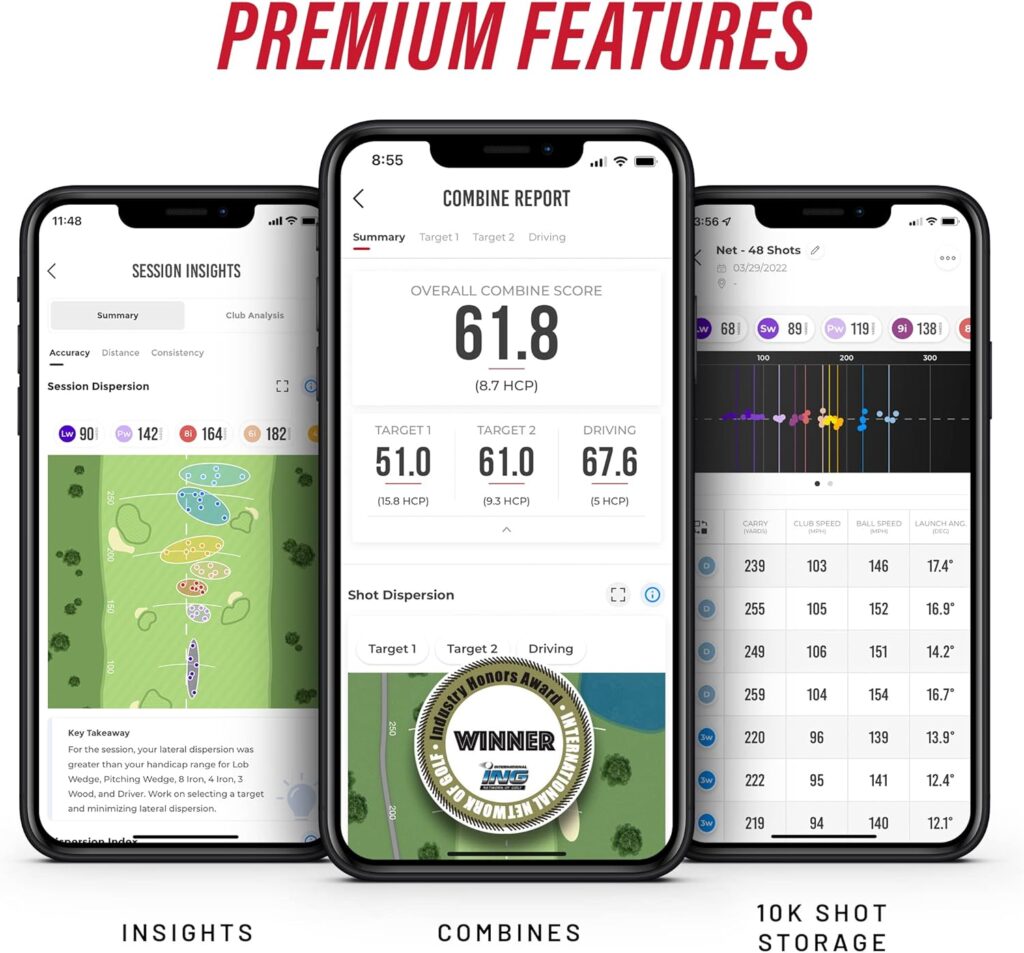
This is where the Rapsodo really stands out. Every shot is recorded with a video replay and shot tracer, which is incredibly helpful.
You can:
-
Review swings frame by frame
-
Track club distances over time
-
See shot dispersion patterns
-
Store videos in the cloud
Many golfers said the video feedback was the most valuable feature, especially when practicing alone.
One reviewer mentioned that seeing both the swing and the data together helped them understand what was working and what wasn’t, instead of just guessing.
Real-World Practice Experience
Range Use
At the driving range, the Rapsodo Mobile Launch Monitor feels like a personal practice assistant. You hit a shot, and before the ball lands, you already have distance and speed numbers.
Golfers often say it:
-
Makes practice more engaging
-
Helps identify true club distances
-
Builds confidence in club selection
One user noted they discovered their favorite club wasn’t actually as accurate as they thought, which changed how they approached the course.
Home Net Practice
At home, the device works with nets as long as you have enough space.
Typical setup needs:
-
About 8 feet behind the ball for the unit
-
Adequate lighting
-
Proper alignment
Most users reported good results indoors, though a few said shot detection can be less consistent in tight spaces.
What Real Golfers Are Saying
Common Positive Feedback
-
Easy to set up and start using
-
Very portable and lightweight
-
Helpful swing videos with shot tracer
-
Good value for the price
-
Makes practice more enjoyable
Many beginners and mid-handicappers said it helped them finally understand their real club distances, which translated to better course decisions.
Common Complaints
-
Occasionally misses shots
-
Needs careful alignment
-
Some units had durability or charging issues
-
iOS-only compatibility
-
Mixed experiences with customer support
A few negative reviews mentioned accuracy problems or hardware failures, though these were not the majority.
Overall rating sits around 4.1 out of 5 stars, which suggests generally positive but not perfect performance.
Skill Level Suitability
Best for:
-
Beginners learning distances
-
Mid-handicappers working on consistency
-
Data-driven golfers who enjoy stats
-
Home practice setups
Less ideal for:
-
Tour-level players needing spin data
-
Golfers who want full simulator gameplay
-
Android-only users
It’s really designed as a practice improvement tool, not a full professional fitting device.

Comparison With Popular Alternatives
Versus Garmin Approach R10
-
Garmin offers more simulation features
-
Rapsodo has better video and shot tracing
-
Rapsodo is usually cheaper
Versus FlightScope Mevo
-
Mevo includes spin data
-
Rapsodo provides better visual feedback
-
Rapsodo app is more beginner-friendly
Overall, the Rapsodo Mobile Launch Monitor sits in a sweet spot for value and features.
Check Here
Price, Value, and Ownership Experience
At around the mid-hundreds price range, the Rapsodo MLM offers a lot for the money.
You get:
-
Real shot data
-
Swing videos
-
GPS shot mapping
-
Portable design
For most recreational golfers, it’s a strong value proposition, especially compared to premium launch monitors costing thousands.
Battery life is about 4 hours per charge, which usually covers a full range session.
Pros and Cons
Pros
-
Portable and easy to carry
-
Video replay with shot tracer
-
Good value for the price
-
Helpful distance tracking
-
Simple setup
Cons
-
iOS only
-
Needs precise alignment
-
Occasional missed shots
-
No spin rate data
Who It’s For / Who Should Skip It
Buy this if you:
-
Want a budget-friendly launch monitor
-
Practice frequently at the range
-
Like seeing swing videos and shot data
-
Need help with club distance gapping
Skip it if you:
-
Want full simulator course play
-
Need spin rate and advanced metrics
-
Only use Android devices
Golf Assay Score
| Category | Score |
|---|---|
| Accuracy | 8/10 |
| Ease of Use | 8.5/10 |
| Features | 8/10 |
| Portability | 9/10 |
| Value for Money | 9/10 |
| Durability | 7/10 |
Overall Score: 8.3 / 10
Final Verdict
The Rapsodo MLM isn’t perfect, but honestly, for the price, it’s pretty impressive. It gives everyday golfers access to real shot data, swing videos, and distance tracking without spending thousands.
It’s best seen as a serious practice tool, not a pro-level simulator. If you’re trying to understand your swing, dial in distances, or just make practice more fun, it’s a smart buy.
Sure, it sometimes misses shots, and setup needs a bit of attention, but for most golfers, the benefits easily outweigh those small frustrations.
Buy on Amazon
FAQ
Does the Rapsodo Mobile Launch Monitor work indoors?
Yes, it can be used with a net indoors if you have enough space and proper alignment.
Does it measure spin rate?
No, this model does not provide spin data.
Is it compatible with Android phones?
No, it currently works only with iPhone and iPad.
How accurate is it?
Most users report distance readings within a few yards of actual range markers.